尚未安裝 OpenClaw?點此查看一鍵安裝指令
curl -fsSL https://openclaw.ai/install.sh | bashiwr -useb https://openclaw.ai/install.ps1 | iexcurl -fsSL https://openclaw.ai/install.cmd -o install.cmd && install.cmd && del install.cmd- OpenClaw 支援 Anthropic Claude、OpenAI GPT、Google Gemini、DeepSeek 等主流模型供應商的 API Key,並統一透過
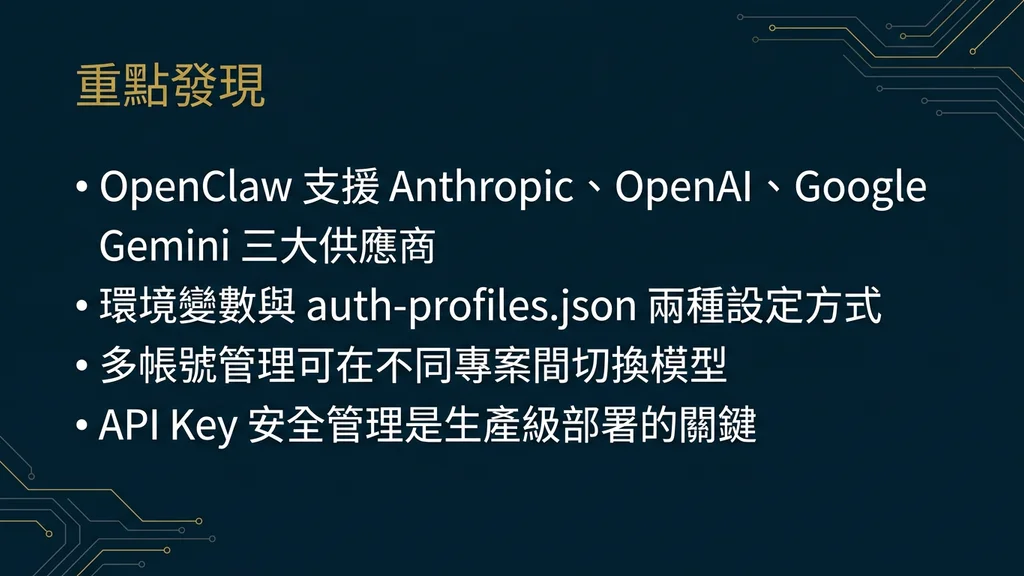
openclaw config setCLI 指令或auth-profiles.json管理所有憑證[1] - 每個供應商的 API Key 取得流程不同——Anthropic 需於 Console 建立 Key、OpenAI 支援 OAuth 與直接 Key 兩種模式、Google 則透過 AI Studio 產生[2]
- 多帳號場景下,
auth-profiles.json可定義多組認證 Profile 並以--profile旗標即時切換,適合同時管理個人與企業帳號的開發者 - CrowdStrike 安全研究指出 API Key 外洩是 OpenClaw 部署最常見的安全事件,建議搭配環境變數、金鑰輪換與用量告警三重防護[7]
OpenClaw 的核心價值之一,是讓使用者在同一個代理介面下自由切換不同 AI 模型供應商。然而,每個供應商的 API 認證機制各有差異——Anthropic 使用靜態 API Key、OpenAI 同時提供 OAuth 與 API Key、Google 則有 AI Studio 與 Cloud 兩條路徑。對於首次設定的使用者來說,光是「在哪裡取得 Key」、「用什麼指令寫入」、「怎麼驗證生效」就可能耗費大量時間。[3]
本指南將逐步拆解 OpenClaw 支援的三大主流 API 供應商的金鑰配置流程,並深入 auth-profiles.json 多帳號管理、Rate Limit 監控與安全最佳實踐,讓你在 15 分鐘內完成從零到生產級的 API 設定。
一、OpenClaw API Key 概觀:支援哪些供應商?
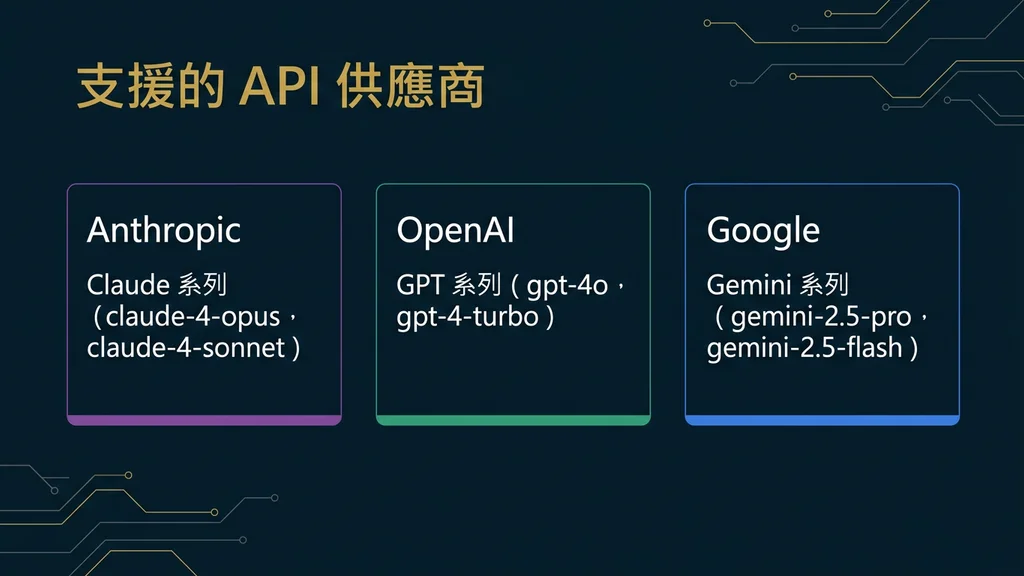
OpenClaw 透過統一的 Provider 抽象層,將各家模型供應商的認證差異封裝在底層。截至 2026 年 2 月,官方支援以下供應商的 API 存取:[1]
| 供應商 | 認證方式 | 環境變數名稱 | 推薦模型 |
|---|---|---|---|
| Anthropic | API Key | ANTHROPIC_API_KEY | Claude Opus 4.6 / Sonnet 4 |
| OpenAI | API Key / OAuth | OPENAI_API_KEY | GPT-4.5 / o3 |
| API Key | GOOGLE_API_KEY | Gemini 2.5 Pro | |
| DeepSeek | API Key | DEEPSEEK_API_KEY | DeepSeek V4 |
| 本地模型 | Endpoint URL | OLLAMA_HOST | Llama 3.3 / Qwen 2.5 |
所有供應商的 Key 都可以透過兩種方式寫入 OpenClaw:CLI 指令(推薦)或環境變數。CLI 會將憑證加密存放於 ~/.openclaw/credentials.enc,比明文環境變數更安全。[2]
二、配置 Anthropic API Key(Step-by-Step)
Anthropic 是 OpenClaw 的預設模型供應商,Claude 系列模型在代理任務中的表現備受推薦。[4]
2.1 取得 API Key
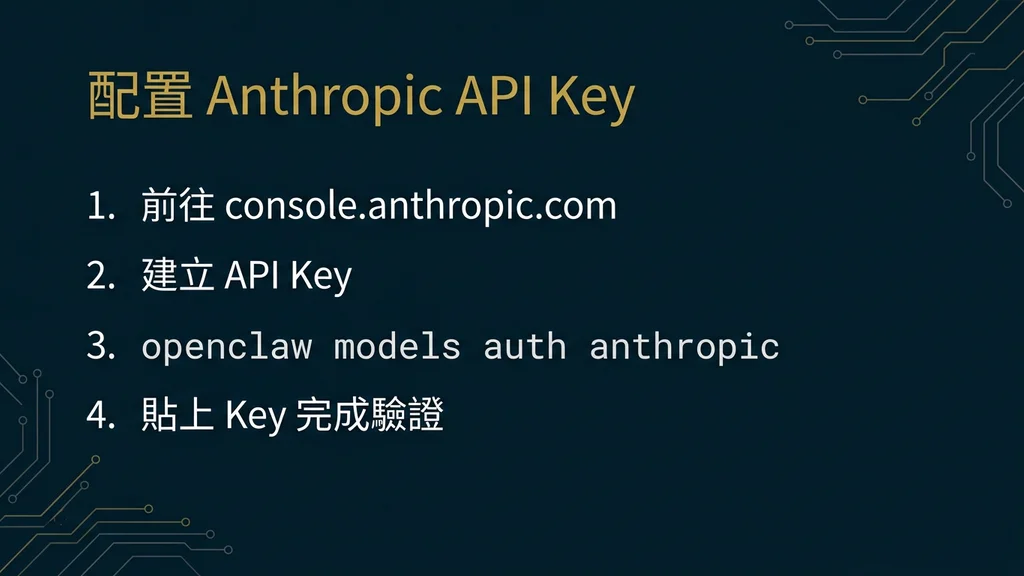
步驟 1:前往 Anthropic Console,登入你的帳號(或註冊新帳號)。
步驟 2:在左側選單點選「API Keys」,再點擊「Create Key」按鈕。
步驟 3:為金鑰命名(例如 openclaw-production),選擇適當的 Workspace,然後複製產生的金鑰字串。注意:金鑰只會顯示一次,請立即保存。
2.2 寫入 OpenClaw
# 方法 1:使用 CLI 指令(推薦——加密存放)
openclaw config set providers.anthropic.apiKey "sk-ant-api03-xxxxxxxxxxxx"

# 方法 2:使用環境變數(適合 CI/CD 環境)
export ANTHROPIC_API_KEY="sk-ant-api03-xxxxxxxxxxxx"

# 驗證是否生效
openclaw doctor --check-providers
執行 openclaw doctor --check-providers 後,你應該會看到 Anthropic 狀態顯示為 ✓ Connected。如果顯示 ✗ 401 Unauthorized,請確認金鑰是否正確複製(特別注意開頭的 sk-ant- 前綴)。[3]
2.3 設定為主要模型
# 將 Claude Opus 4.6 設為主要代理模型
openclaw config set agents.defaults.model.primary claude-opus-4-6

# 設定備援模型(選用)
openclaw config set agents.defaults.model.fallback claude-sonnet-4
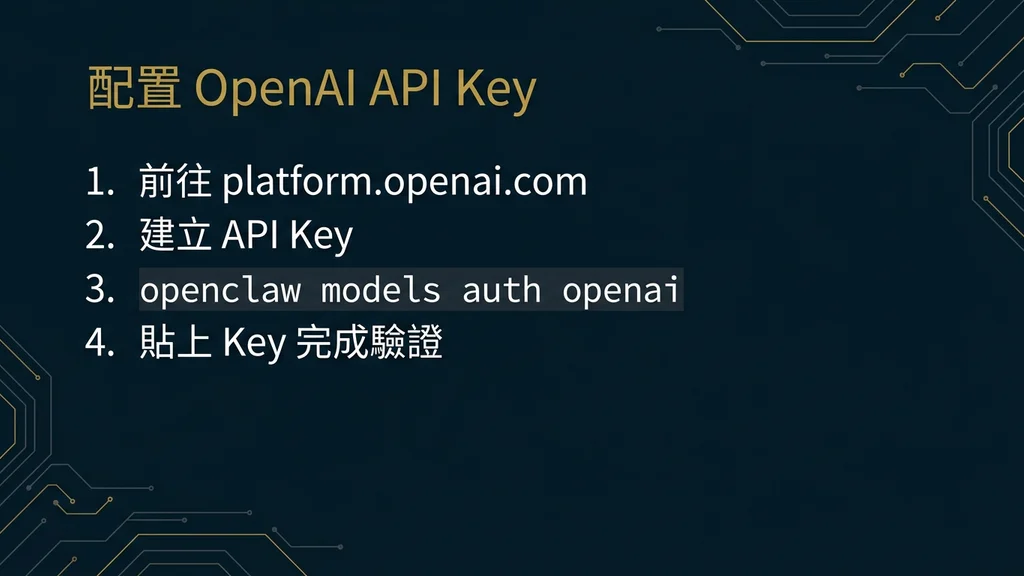
三、配置 OpenAI API Key(Step-by-Step)
OpenAI 提供兩種認證路徑:直接 API Key 與 OAuth 授權。前者適合個人開發者,後者適合需要精細權限控制的企業環境。[5]
3.1 方式 A:直接 API Key
步驟 1:前往 OpenAI Platform,點擊「Create new secret key」。
步驟 2:為金鑰命名並設定權限範圍(建議僅勾選 Model 存取,不勾選 Fine-tuning 或 Assistants)。
步驟 3:複製產生的 sk-proj- 開頭金鑰,寫入 OpenClaw:
# 寫入 OpenAI API Key
openclaw config set providers.openai.apiKey "sk-proj-xxxxxxxxxxxx"

# 如果使用 OpenAI Organization
openclaw config set providers.openai.orgId "org-xxxxxxxxxxxx"

# 驗證連線
openclaw doctor --check-providers
3.2 方式 B:OAuth 授權
OAuth 模式不需要手動管理 API Key,而是透過瀏覽器完成授權流程。OpenClaw 會自動處理 Token 的取得與刷新:
# 啟動 OAuth 授權流程
openclaw auth login --provider openai

# 系統會開啟瀏覽器,完成 OpenAI 帳號授權後自動回寫 Token
# 驗證狀態
openclaw auth status
OAuth 的優勢在於 Token 自動過期與刷新,降低長期靜態金鑰暴露的風險。詳細的 OAuth 設定可參考我們的 OpenClaw OAuth 認證指南。
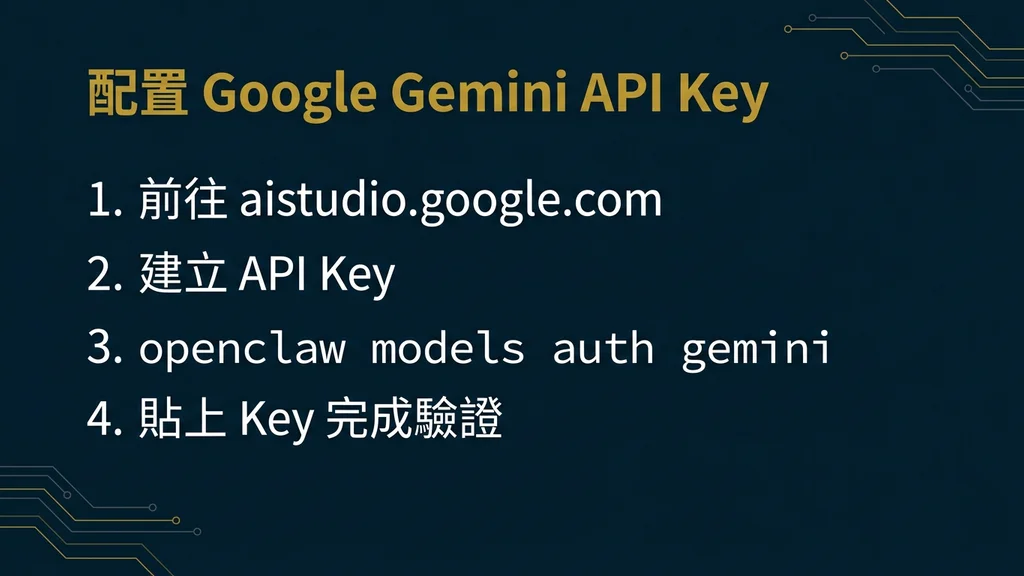
四、配置 Google Gemini API Key(Step-by-Step)
Google 提供兩條 API 存取路徑:AI Studio(免費額度、快速上手)與 Vertex AI(企業級、需 GCP 專案)。對於 OpenClaw 個人使用者,推薦從 AI Studio 開始。[6]
4.1 透過 AI Studio 取得金鑰
步驟 1:前往 Google AI Studio,使用 Google 帳號登入。
步驟 2:點擊「Create API Key」,選擇或建立一個 GCP 專案。
步驟 3:複製產生的金鑰,寫入 OpenClaw:
# 寫入 Google Gemini API Key
openclaw config set providers.google.apiKey "AIzaSyXXXXXXXXXXXXXXXXXXXXXXXX"

# 驗證連線
openclaw doctor --check-providers
4.2 設定 Gemini 為特定任務模型
許多使用者的推薦做法是:將 Claude 作為主要代理模型,Gemini 作為長上下文任務(128K+ Token 輸入)的專用模型:
# 在 openclaw.json 中設定任務專用模型
openclaw config set agents.research.model.primary gemini-2.5-pro
openclaw config set agents.defaults.model.primary claude-opus-4-6
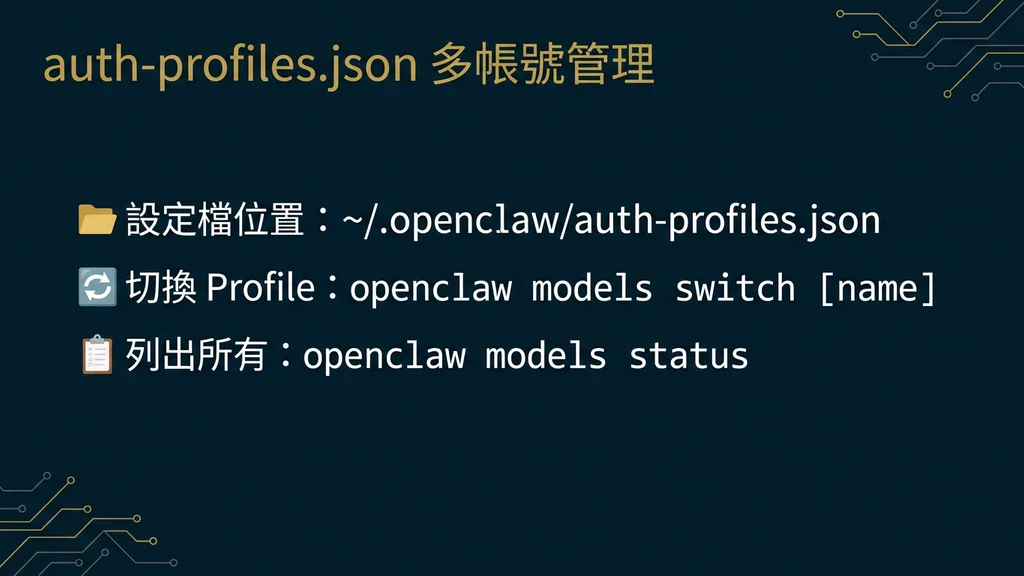
五、auth-profiles.json 多帳號管理
當你同時管理個人專案與企業專案時,不同的 API Key 需要隔離使用。OpenClaw 的 auth-profiles.json 機制允許你定義多組認證 Profile,並在執行時動態切換。[2]
5.1 建立 Profile 檔案
Profile 檔案位於 ~/.openclaw/auth-profiles.json,結構如下:
{
  "profiles": {
    "personal": {
      "description": "個人開發用",
      "providers": {
        "anthropic": { "apiKey": "sk-ant-api03-personal-xxxxx" },
        "openai": { "apiKey": "sk-proj-personal-xxxxx" }
      }
    },
    "enterprise": {
      "description": "公司專案用",
      "providers": {
        "anthropic": { "apiKey": "sk-ant-api03-corp-xxxxx" },
        "openai": {
          "apiKey": "sk-proj-corp-xxxxx",
          "orgId": "org-corp-xxxxx"
        },
        "google": { "apiKey": "AIzaSy-corp-xxxxx" }
      }
    }
  },
  "defaultProfile": "personal"
}
5.2 切換 Profile
# 使用企業 Profile 啟動代理
openclaw --profile enterprise

# 查看當前使用的 Profile
openclaw auth status --profile

# 在腳本中指定 Profile
OPENCLAW_PROFILE=enterprise openclaw run agent.yaml
Profile 機制的好處是:你不需要反覆用 config set 覆蓋金鑰,各組憑證完全隔離,降低在企業環境中誤用個人金鑰的風險。
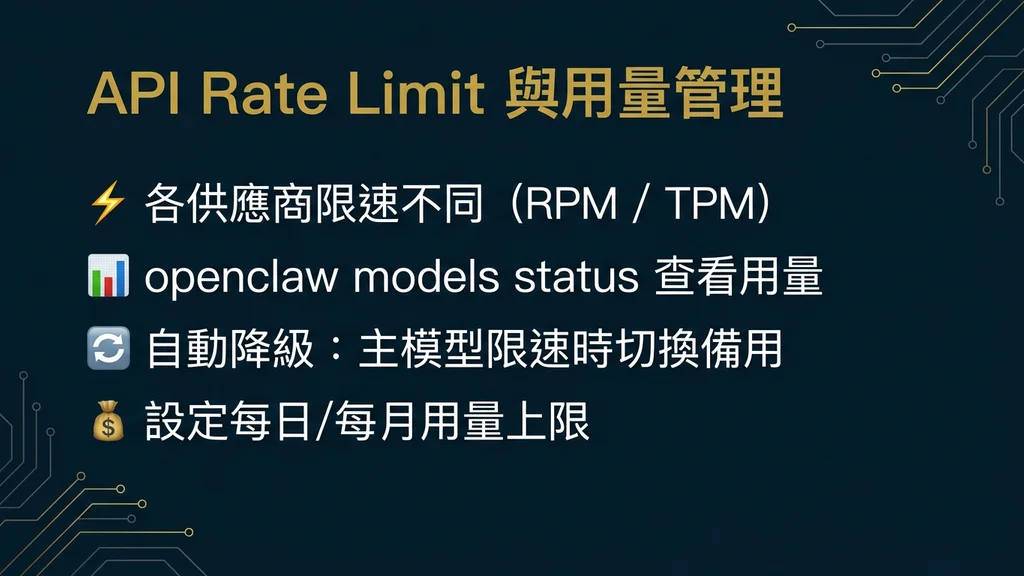
六、API Rate Limit 與用量管理
每個模型供應商都有各自的 Rate Limit 政策。OpenClaw 在代理自主執行時,可能在短時間內產生大量 API 呼叫,因此理解並管理 Rate Limit 至關重要。[1]
6.1 各供應商 Rate Limit 概覽
| 供應商 | Free Tier RPM | Paid Tier RPM | OpenClaw 建議設定 |
|---|---|---|---|
| Anthropic | 5 RPM | 1,000+ RPM | maxRequestsPerMinute: 50 |
| OpenAI | 3 RPM | 500+ RPM | maxRequestsPerMinute: 30 |
| 15 RPM | 1,000+ RPM | maxRequestsPerMinute: 60 |
6.2 在 OpenClaw 中設定速率限制
# 設定 Anthropic 的每分鐘最大請求數
openclaw config set providers.anthropic.rateLimit.maxRequestsPerMinute 50

# 設定用量告警閾值(月費用上限,單位 USD)
openclaw config set billing.alertThreshold 100

# 啟用用量日誌
openclaw config set logging.apiUsage true
6.3 監控即時用量
# 查看今日 API 呼叫統計
openclaw usage --today

# 查看本月累計費用估算
openclaw usage --month --cost

# 輸出用量報表為 CSV
openclaw usage --month --format csv > api-usage-feb.csv
建議將 billing.alertThreshold 設定為你月度預算的 80%,這樣在接近上限時會收到終端機內通知,避免意外超支。
七、API Key 安全最佳實踐
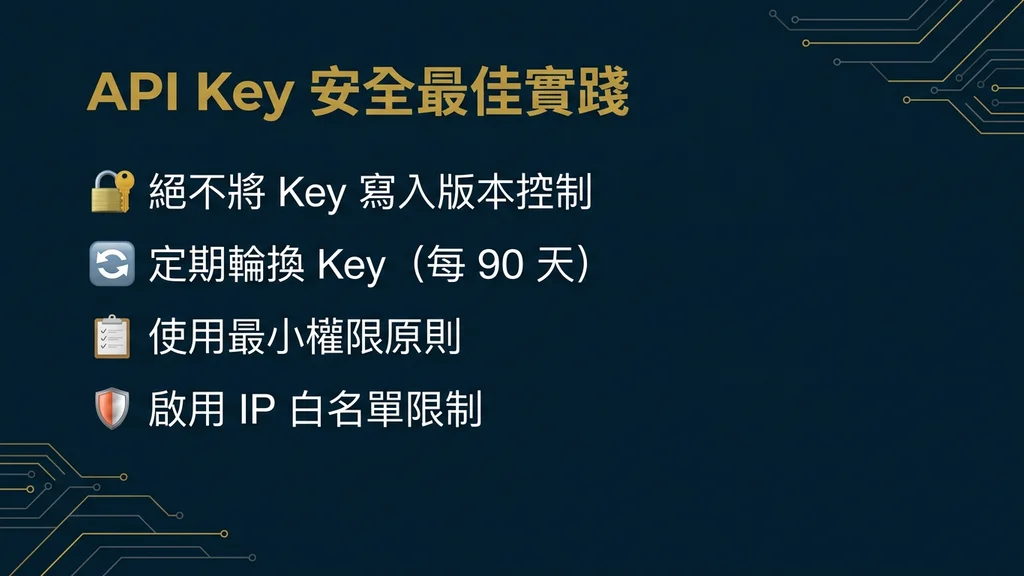
CrowdStrike 在 2026 年初的研究報告中指出,OpenClaw 部署中最常見的安全事件就是 API Key 外洩——開發者將金鑰寫入版本控制、共享在公開的 .env 檔案中、或在 Skills 中被惡意讀取。[7]
7.1 六項必做清單
- 永遠使用 CLI 寫入金鑰——
openclaw config set會將憑證加密存放,比手動編輯 JSON 更安全 - 將
.openclaw/加入.gitignore——防止憑證檔案被推送到版本控制 - 定期輪換金鑰——建議每 90 天更換一次,各供應商均支援多金鑰並行
- 啟用供應商端的用量限制——在 Anthropic Console、OpenAI Dashboard 設定月度花費上限
- 審查第三方 Skills 的權限——安裝 Skills 前先檢查其是否要求存取
credentials或env權限[8] - 在 CI/CD 中使用環境變數——透過 GitHub Secrets 或 GitLab CI Variables 注入,不要寫入設定檔
7.2 金鑰外洩應急處理
# 1. 立即在供應商端撤銷洩漏的金鑰

# 2. 產生新金鑰並寫入 OpenClaw
openclaw config set providers.anthropic.apiKey "sk-ant-api03-NEW-KEY"

# 3. 檢查是否有異常用量
openclaw usage --last-7d --detailed

# 4. 掃描 git 歷史中的金鑰殘留
git log --all -p | grep -i "sk-ant-\|sk-proj-\|AIzaSy"
如果金鑰已被推送到公開倉庫,除了撤銷金鑰外,還建議使用 git filter-branch 或 BFG Repo-Cleaner 從 git 歷史中徹底移除。
八、常見問題排除
Q1:執行 openclaw doctor 顯示 401 Unauthorized
最常見原因是金鑰複製不完整。請確認:
- Anthropic Key 應以
sk-ant-api03-開頭 - OpenAI Key 應以
sk-proj-開頭 - 沒有多餘的空白或換行符號
# 重新設定金鑰
openclaw config set providers.anthropic.apiKey "your-correct-key"

# 清除快取後重新驗證
openclaw cache clear
openclaw doctor --check-providersQ2:Token expired 錯誤(OpenAI OAuth 模式)
OAuth Token 預設有效期限為 1 小時。正常情況下 OpenClaw 會自動刷新,但如果 Refresh Token 也過期(通常是長時間未使用),需要重新授權:
# 重新執行 OAuth 登入
openclaw auth login --provider openai --force-refresh

# 確認 Token 狀態
openclaw auth statusQ3:429 Too Many Requests(Rate Limit)
代理在自主模式下可能快速消耗 RPM 額度。解決方案:
# 降低請求頻率
openclaw config set providers.anthropic.rateLimit.maxRequestsPerMinute 20

# 或啟用自動退避(Exponential Backoff)
openclaw config set providers.anthropic.rateLimit.autoBackoff true
Q4:多個 Provider 的金鑰衝突
如果同時設定了 CLI 金鑰與環境變數,OpenClaw 的優先順序為:[2]
--profile旗標指定的 Profile- 環境變數(
ANTHROPIC_API_KEY等) openclaw.json中的靜態設定
建議在同一環境中只使用一種方式管理金鑰,避免混淆。
Q5:金鑰設定正確但模型回應異常
可能是模型名稱拼寫錯誤。使用以下指令確認 OpenClaw 支援的模型清單:
# 列出所有可用模型
openclaw models list

# 測試特定模型的連線
openclaw models test claude-opus-4-6
結語:從金鑰管理到生產級部署
API Key 的配置看似簡單,但在企業級 AI 代理部署中,它直接關係到安全性、成本控制與系統穩定性。透過本指南,你應該能夠:完成三大主流供應商的金鑰配置、建立多帳號管理機制、設定 Rate Limit 防護、並掌握金鑰安全的基本原則。
下一步,建議閱讀我們的 OpenClaw 設定完全指南 深入理解 openclaw.json 的完整設定結構,或參考 模型選擇指南 找到最適合你任務的 AI 模型組合。
參考資料
- ^ OpenClaw Documentation. (2026). Models & Providers — OpenClaw Official Docs. docs.openclaw.ai
- ^ OpenClaw Documentation. (2026). Authentication — OpenClaw Official Docs. docs.openclaw.ai
- ^ OpenClaw Documentation. (2026). Getting Started — OpenClaw Official Docs. docs.openclaw.ai
- ^ Anthropic. (2025). Getting Started — Anthropic API Documentation. docs.anthropic.com
- ^ OpenAI. (2025). API Reference — OpenAI Platform. platform.openai.com
- ^ Google. (2025). Google AI for Developers — Documentation. ai.google.dev
- ^ CrowdStrike. (2026). What Security Teams Need to Know About OpenClaw. CrowdStrike Blog. crowdstrike.com
- ^ CNBC. (2026). From Clawdbot to Moltbot to OpenClaw: The rise and controversy of the open-source AI agent. CNBC Technology. cnbc.com
簡報投影片